
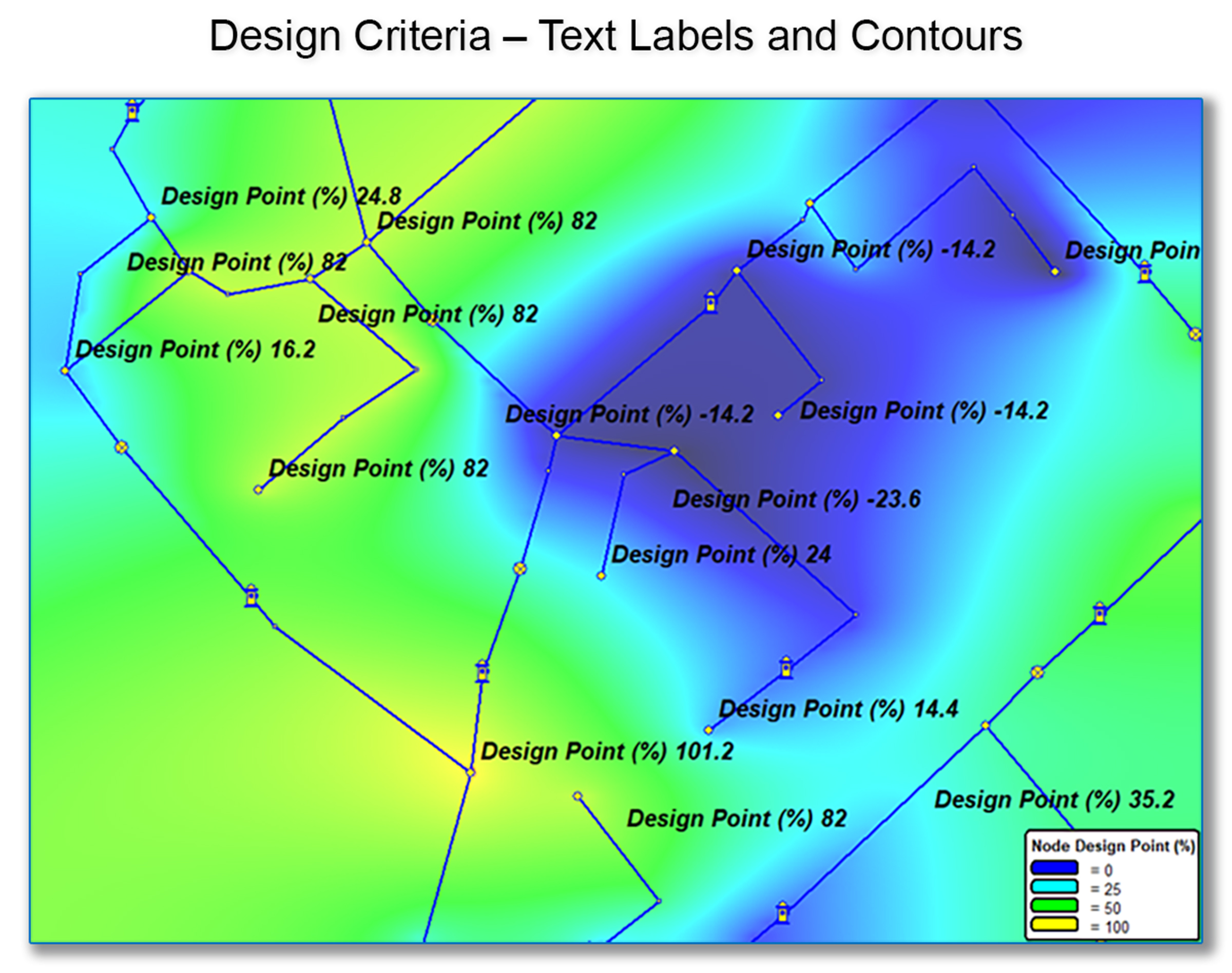
This feature quantifies the difference between the current pressure at a node and the allowable pressure range at that node, which is referred to as the Design Point(%).
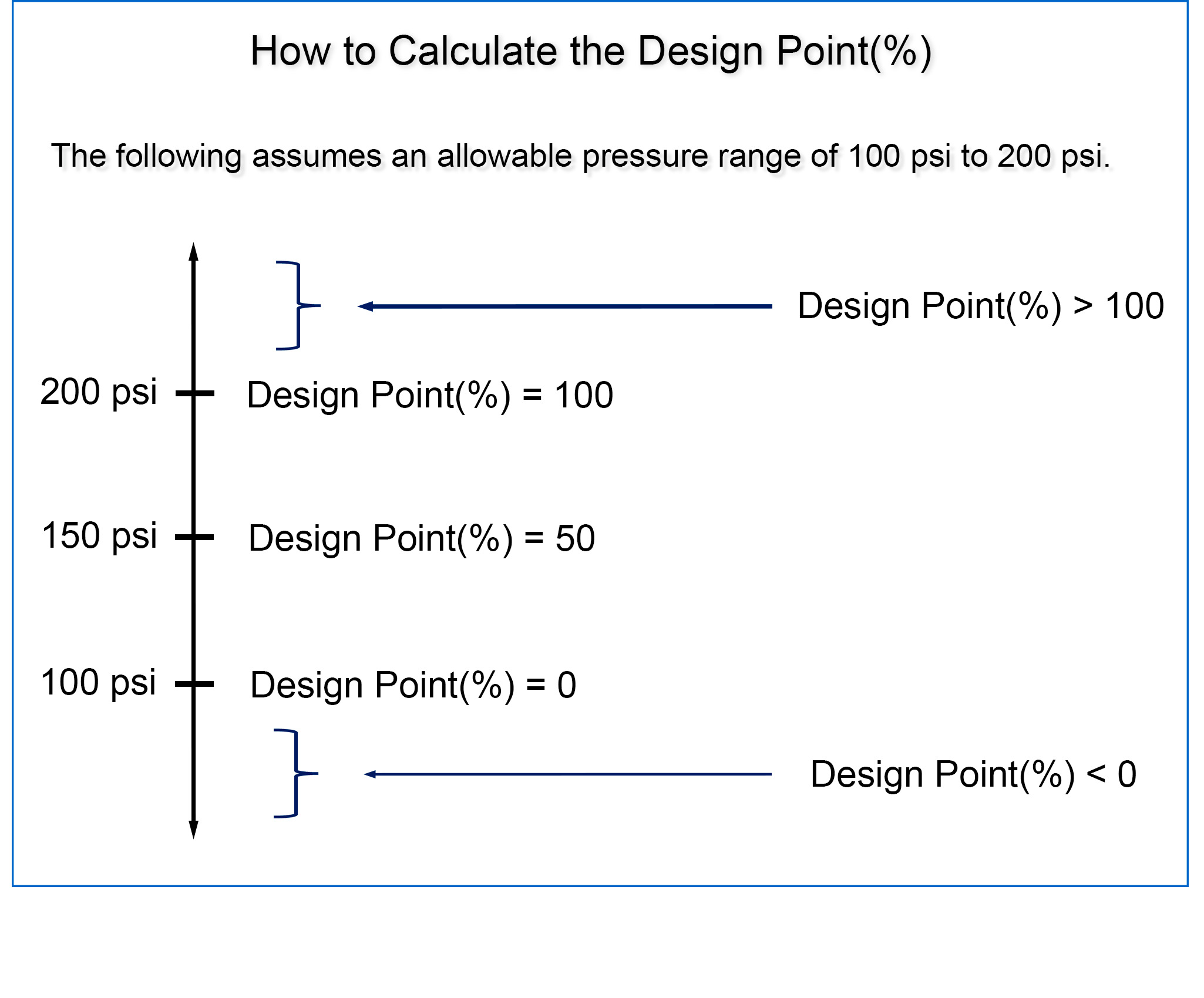
The Design Point(%) value is determined using the following formula: 100% * (Node Pressure – Min Value)/(Max Value – Min Value). Below is a graphical illustration of how the Design Point(%) is calculated:
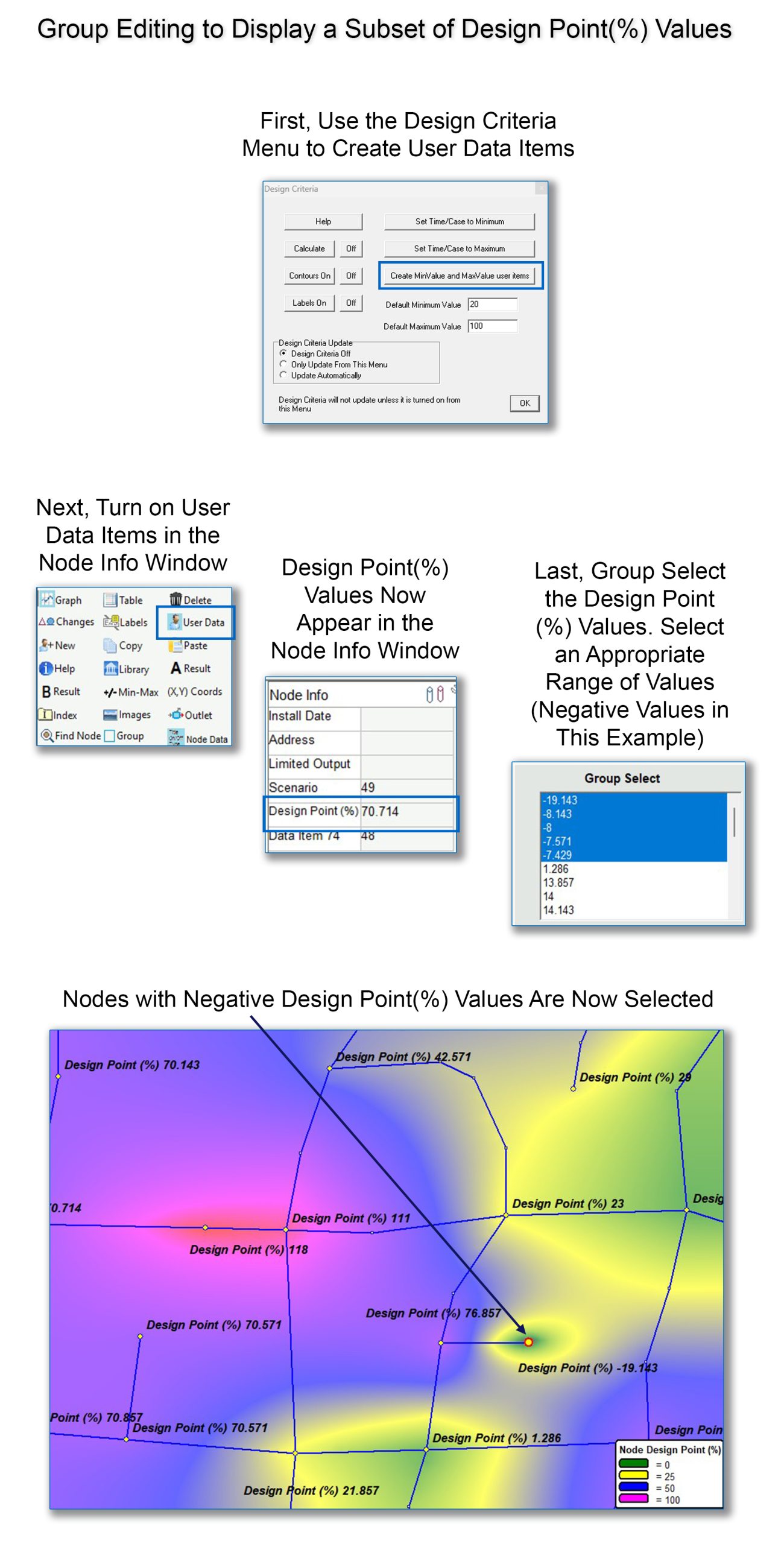
Once calculated, the Design Point(%) can be added to the Node Info Window as a User Data Item from the Design Criteria Menu (see below). Next, users can see the Design Point(%) for each node by toggling the User Data Item button at the bottom of the Node Info Window. Once displayed within the Node Info Window, the values can be Group Edited, allowing users to select from any range of Design Point(%) values throughout the model: In the image below, only negative Design Point(%) values have been selected: