

.png)
When importing files from other software systems such as AutoCAD, ArcGIS or EPAnet into Pipe2026 (or any other PipeXX release), disconnected pipes and nodes are often an issue, especially for medium- or large size files. The Improved Fix Crisscross Feature provides users powerful editing tools to address the most common post-import file errors.
New Features. The Improved Fix Crisscross Feature allows the user to fix disconnected pipes as before, but now offers several new options. These include:
1. Snap Floating Nodes. Snaps floating nodes to existing pipes.
2. Merge Nodes. This allows merging of two nodes which were inadvertently created in place of a single node.
3. Unify Names. Unifying node names once two different nodes have been merged.
4. Remove Bad Links. These pipes are artifacts created during the import process which are caused by improperly-connected ESRI or AutoCAD files. These erroneously created pipes appear connected to an intermediate node as opposed to an end node.
Editing order. Each step can be performed individually, or any/all steps can be completed as a group. Further, the entire system does not have to be processed – this tool allows users to run the above routines only on selected pipes. This is especially useful when adding new pipes to an existing system.
Tolerance. Snap Floating Nodes, Fix Disconnects, and Merge Nodes are only performed within a user-specified Tolerance. A floating node must be within the Tolerance distance of a pipe to be snapped. Two nodes must be within the Tolerance distance of each other to be merged. And disconnected nodes or pipes must be within the Tolerance distance to be connected. Tolerance values are in map units (feet or meters).
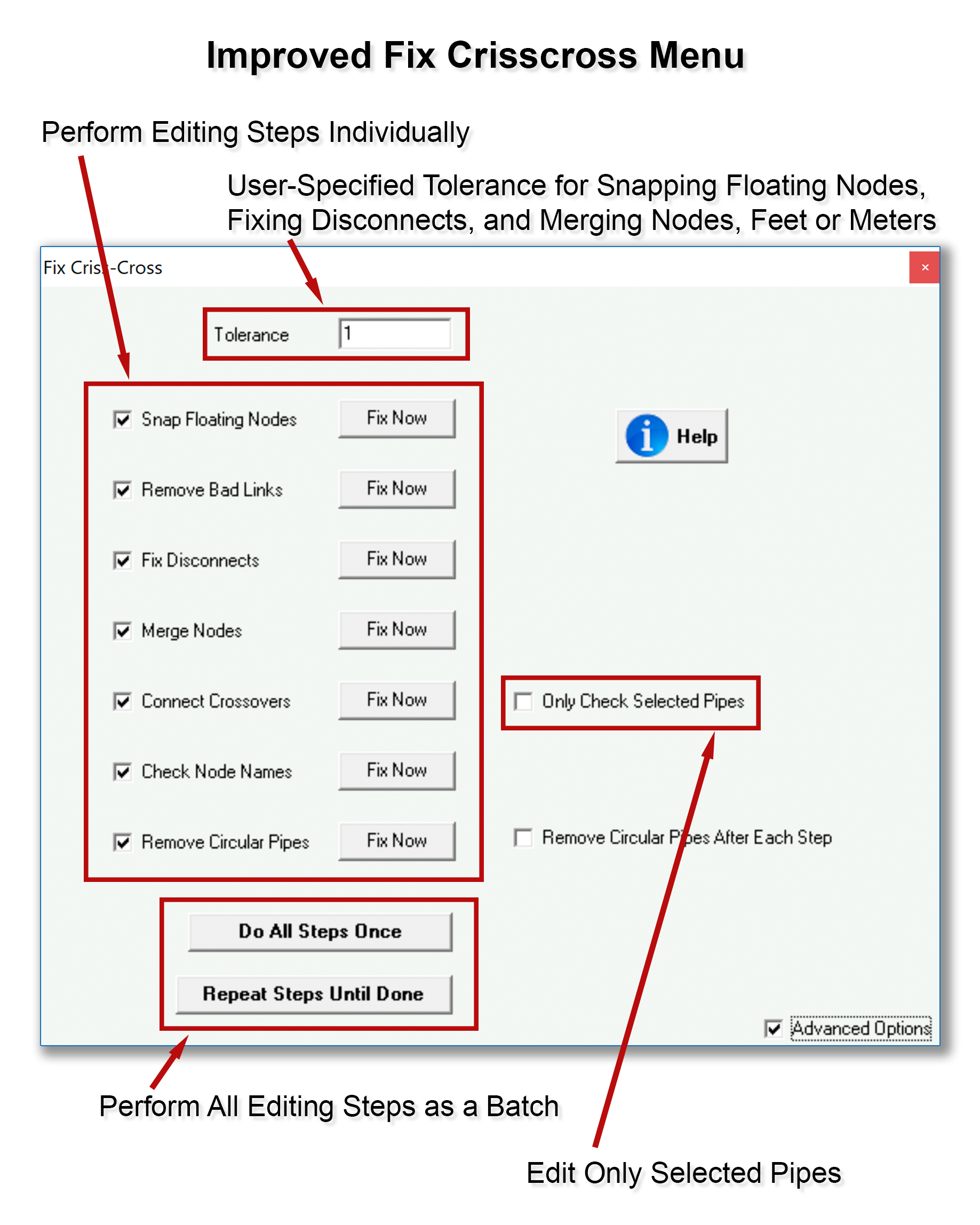
Previously-Available Functions. As with previous releases, this feature allows users to connect crossovers, and to connect pipes that are disconnected on one or both ends, if another pipe or node is within the user-specified tolerance. Users can also choose to remove circular (i.e., parallel) pipes. Parallel pipes are hard to detect because they exactly overlay an existing pipe in the Map Area.

